

Short videos from a topic, made on your computer.
Write a topic. Claude writes the script and plans every shot, generative models make only the footage that can't be made locally, and your computer does the rest: paper cut-outs, type, captions, colour, music and the cut. You see what each video will cost before anything is paid for.
Launching soon. Built and tested on Linux; early access by email.
One topic.
Thirty-four looks.
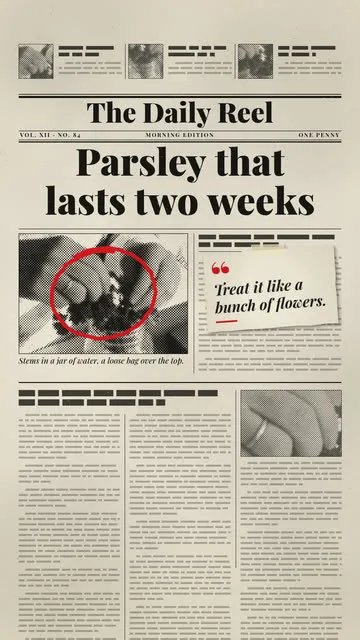
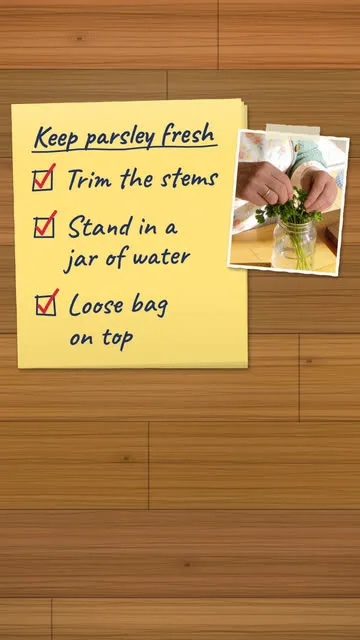
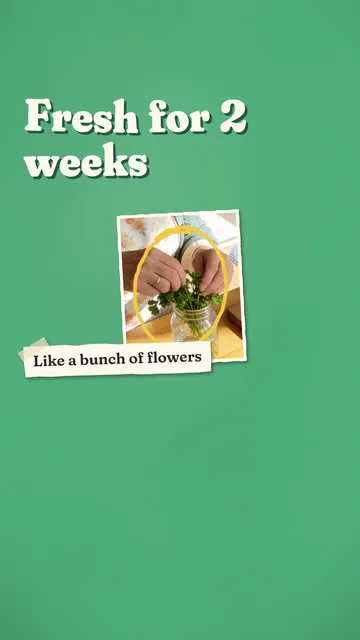
Every frame here came out of Offprint. Each style's engine ran over the same AI-made keyframe from its first video: hands standing parsley in a jar of water. Styles lay paper, type and colour over the footage, frame it or cut it. They never repaint it.
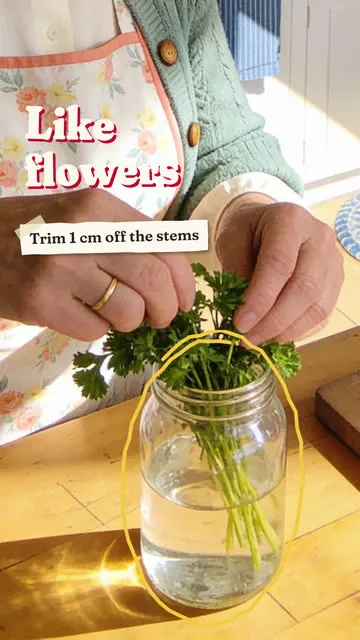 Paper overlaysPaper words, rings, arrows and notes laid over live footage.
- Papercut mixClose-ups become stop-motion paper cards.
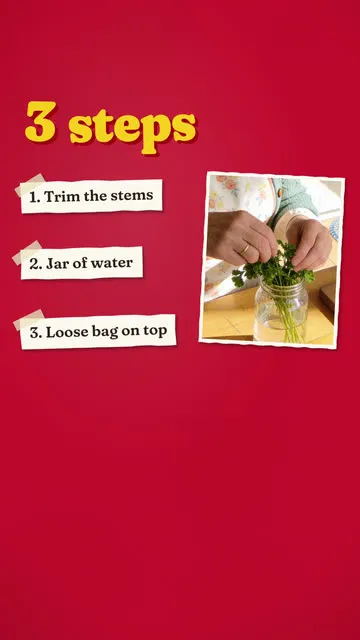 All paper cardsPaper cards over the voice. The cheapest.
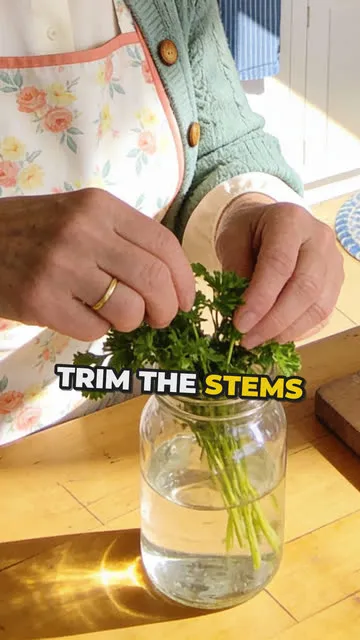 Kinetic typeBig words pop on phrase by phrase.
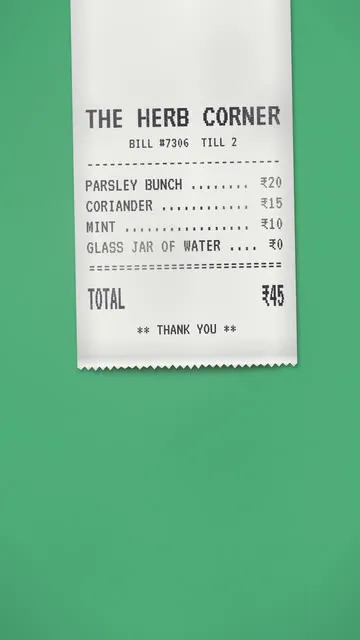 Receipt listA receipt prints out, one line per step.
- Newspaper headlineNewsprint, headline slams and quote boxes.
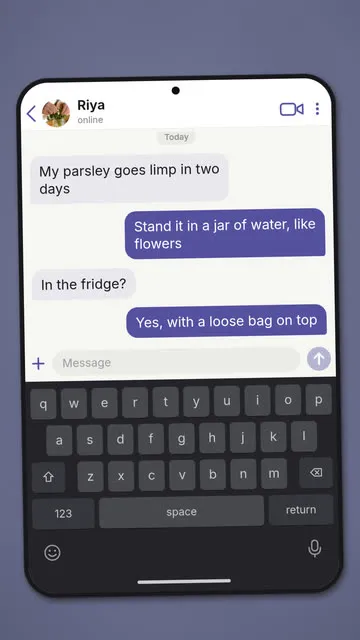 Chat storyMessage bubbles and a typing indicator.
- Sticky notesA list that writes itself and ticks off.
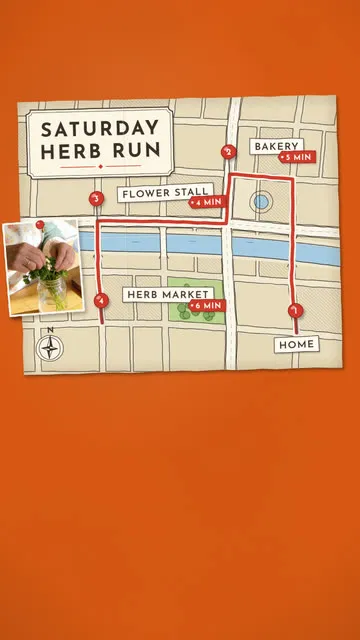 Map routeA drawn map with a route and a pin per stop.
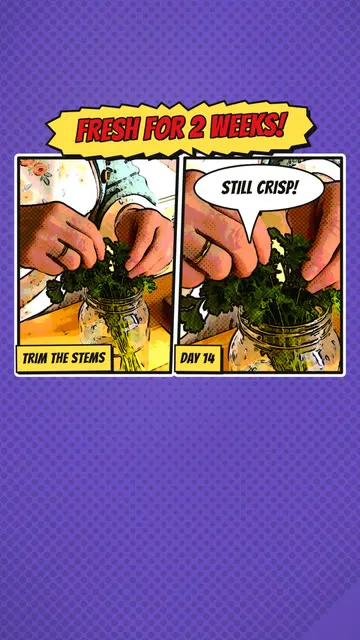 Comic panelsHalftone panels, bubbles and caption boxes.
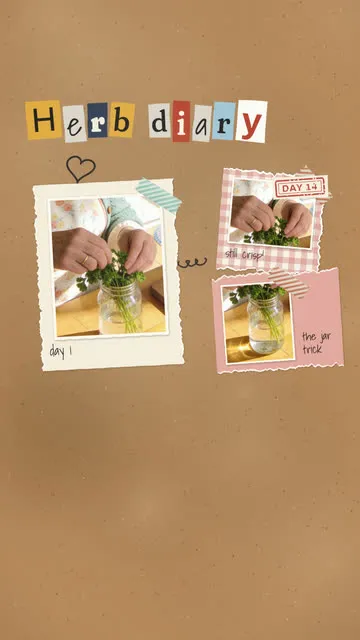 Scrapbook collagePrints on torn paper, tape and doodles.
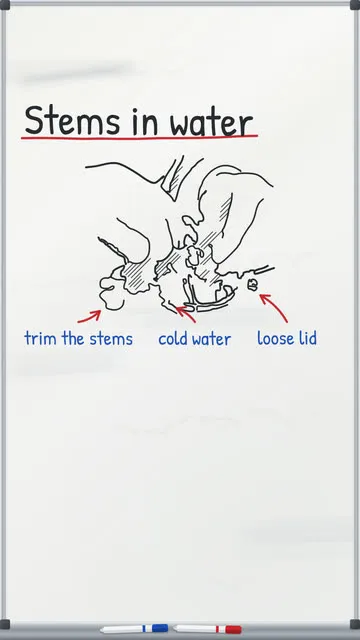 WhiteboardLine drawings drawn on stroke by stroke.
All 34: Plain, Paper overlays, Papercut mix, All paper cards, Printed, Kinetic type, Risograph, Receipt list, Newspaper headline, Chat story, Sticky notes, Map route, Comic panels, Retro VHS, Polaroid photo dump, Photo dump, Scrapbook collage, Typewriter document, Whiteboard, Brainrot stack, Split stack, Glitch hype, Video essay, Documentary, Hand-drawn print film, Flat-lay reveal, Beat-sync fast cut, ASMR hands, Audio-reactive loop, Mini vlog, POV hands, Greenscreen explain, UGC review and Phone-first cinematic.
From a topic to a finished video
You decide what it is about and approve it. Claude does the writing and the planning. Your computer does the finishing.
Write the topic
One topic or a whole list. Pick the speaker, the place and an edit style, and the estimate updates as you go.
Approve the script
Claude writes the lines to your speaker's pace and plans each shot for the style. Nothing is paid for until you approve it.
Make the footage
Keyframes, moving close-ups, the voice and the talking shots are made once and kept, so a retry never pays twice.
Finish it here
Paper cards and overlays, type, captions timed to each word, colour, music and the cut, exported at 1080×1920 and ready to post.
Only the footage
costs money.
Every video shows its estimate before you create it, and the caps stop anything that would pass them.
- Free, on your computer
- Paper cards and overlays, type, captions, colour, music, cutting and mixing, and word timing with whisper. The script and shot plan come from Claude Code on your own Claude plan.
- Paid, per video
- Keyframe images, moving close-ups, talking shots and the voice, on fal. Your HeyGen plan can make the talking shots, and a Gemini key gives free voices.
- Caps
- A 30-second video stops at $3 and a 60-second one at $4 unless you change it, with caps for the day and the month on top. Retries run only when they fit.

One studio, many brands
Made for brands and the people who post for them: a steady run of short videos, each in a look the brand keeps.
- Workspaces
- Each brand keeps its own cast, videos, library, settings and caps. Back one up to a single file and restore it on another computer.
- A recurring cast
- Describe a person, creature, prop or place once. Offprint draws a reference sheet and picks a voice, then keeps them the same in every video.
- Topics in bulk
- Paste a list of topics and get a draft for each, with the same speaker, place and style.
- Carousels
- The same topic as a swipeable post. Built, and in testing now.
What Offprint will not do

- Spend before you approve. Writing the script is free; nothing is paid for until you approve it.
- Pass a cap. Every paid call is checked against the video, day and month caps before it is sent.
- Repaint your footage. Paper, type and colour go over the picture; the picture underneath is never redrawn.
- Show your keys. They stay in a settings file on your computer, and the page only ever shows their last four characters.
- Delete your work. Spare takes, removed assets and old workspaces go to a trash folder you empty yourself.
- Use a face without consent. A photo of a real person joins the cast only after you confirm they agreed.
Where it is
The studio works end to end today and has made its first videos. Early access comes next, then the launch.
Working now
- 1Thirty-four edit styles, each with its own engine.
- 2Estimates and caps on every video, day and month.
- 3A recurring cast with reference sheets and voices.
- 4Workspaces per brand, with backup and restore.
- 5A login for the studio page, with a passphrase.
Next
- 6Carousels for Instagram, in testing now.
- 7Early access for the first studios and brands.
- 8Launch.
Questions
Where does Offprint run?
On your own computer. One program serves a page that only that computer can open. Nothing is hosted, and finished videos stay in your export folder.
What does it need?
Linux for now, with ffmpeg, Google Chrome and Claude Code installed. Footage comes from a fal key, or from your HeyGen plan for talking shots.
What does a video cost?
Only the generated footage costs money, and you see the estimate before you create the video. A 30-second video is capped at $3 unless you change the cap.
Can it show a real person?
Only with their consent: a real person's photo joins the cast once you confirm they agreed. Otherwise the cast is AI-made characters who look the same in every video.
When can I use it?
Soon. Write to us for early access, or follow @CottusAI for the launch.